Camunda Blog



Camunda’s Evolution: An Open, Distributed Platform
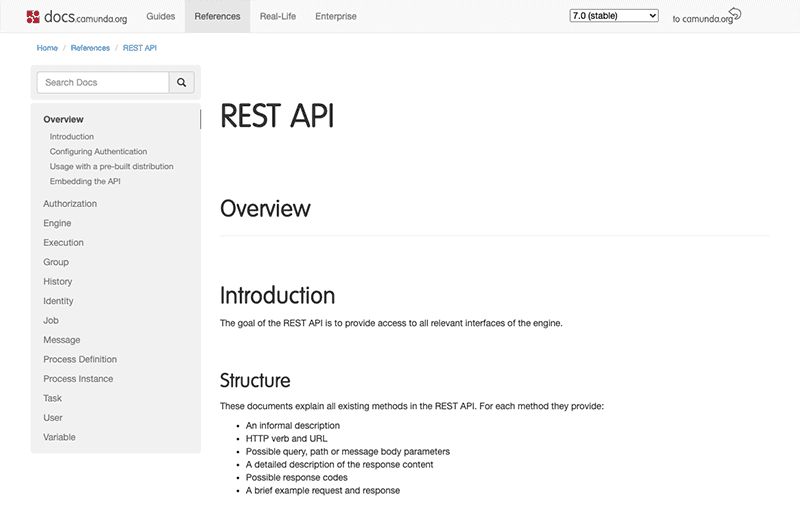
We have recently released the first iteration of the OpenAPI documentation, which is a big step towards making Camunda a more technology independent platform. The journey up until now is very much worth discussing. Camunda started off as a lovely, lightweight java project, which was intended to be used by Java developers to embed in their projects so that they could orchestrate their processes. As far as this mission statement goes – it was, of course, a great success. The features we created focused on the Java ecosystems and the needs of Java developers, which is obvious considering that our community was almost exclusively made-up of Java folk. There came a time, one which I assume happens often for open…
By Niall Deehan
4 août 2020
From Project to Program: Managing, Monitoring and Leveraging the Cloud
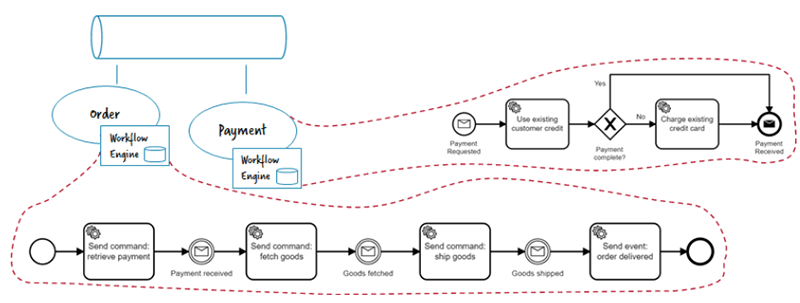
How can you move beyond your first project and automate hundreds of processes successfully using an agile step-by-step approach? For the last 10 years we’ve been helping businesses to automate workflow processes, migrating from monolithic systems into agile, scalable ways of working. And we’ve discovered that you don’t have to start with a big bang approach – in fact, starting small is the fastest and most effective route to digital transformation. You can catch up on the previous blogs in the series, if you’d like more background before diving straight into this blog, on managing decentralized workflow engines. Managing Decentralized Workflow Engines Instead of central platforms I advocate for an approach that every team runs its own engine, especially in a…

30 juil. 2020
How we automatically keep our Documentation Screenshots up to date
When you open the Camunda User Guide, you’ll see that there are many screenshots explaining the different functions and options the product offers. We hope that you, as a user, find those screenshots helpful. But for us as developers, creating and keeping those screenshots up to date has always been a pain. https://unsplash.com/photos/dDppsuM_UpE At the time of writing, the user guide for Camunda Optimize contained 94 screenshots. And with every release we add more functionality, which means the number of screenshots continuously grows. When we change the look of buttons or add a new section to the header, we need to update every screenshot that has a button or header in it. In practice, this meant we were manually recreating every…
28 juil. 2020
Scaling Camunda Adoption in Your Company – Phases of Adoption
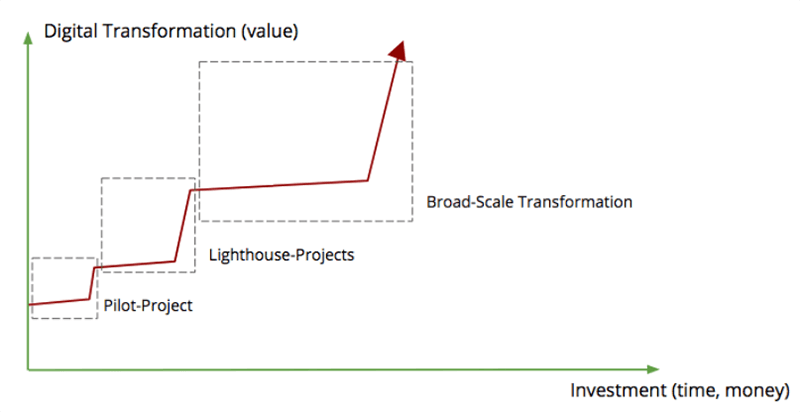
How can you move beyond your first project and automate hundreds of processes successfully using an agile step-by-step approach? For the last 10 years we’ve been helping businesses to automate workflow processes, migrating from monolithic systems into agile, scalable ways of working. And we’ve discovered that you don’t have to start with a big bang approach – in fact, starting small is the fastest and most effective route to digital transformation. In this series, we’ll be taking a closer look at Camunda adoption, choosing the right architecture for your use case and assembling teams that are best placed to drive transformational technologies. Phases in Your Adoption Journey From hundreds of real-life projects over the years, we derived a simple pattern…
24 juil. 2020
Announcing Zeebe 0.24.1 & Operate 0.24.2
A new release for Zeebe and Operate is available now, version 0.24.2. You can grab the releases via the usual channels: Docker Hub GitHub Maven Central As usual, if you’d like to get started immediately, you can find information about it directly on the Zeebe & Operate documentation website. Both Zeebe 0.24.1 and Operate 0.24.2 are fully backwards compatible with previous versions. For Camunda Cloud users, 0.24.1 is already the latest production version, meaning by the time you read this post, your existing clusters should have been upgraded. Here are some highlights: Zeebe Many, many bug fixes Standalone gateway liveness probes Docker distribution can now run as non-root user Job worker metrics in the Go client FEEL expression support for…

23 juil. 2020
Git push to deploy to Camunda Cloud
Using the Zeebe Action for GitHub, you can automate your GitHub repo to deploy BPMN models to Camunda Cloud when you push to a specific branch. In this quick tutorial, I show you how to configure your GitHub repo to deploy all BPMN models in the bpmn directory of your repo on a push to master. If you don’t have a Camunda Cloud account yet, you can join the public beta to get one. Create a client in Camunda Cloud Go into your Zeebe cluster in the Camunda Cloud console, and create a new client. You might want to name it “GitHub-Automation” so you know what it is for. Copy the “Connection Info” block by clicking the copy icon in the lower right-hand…
By Josh Wulf
21 juil. 2020
From Project to Program: Scaling Camunda Adoption in Your Company
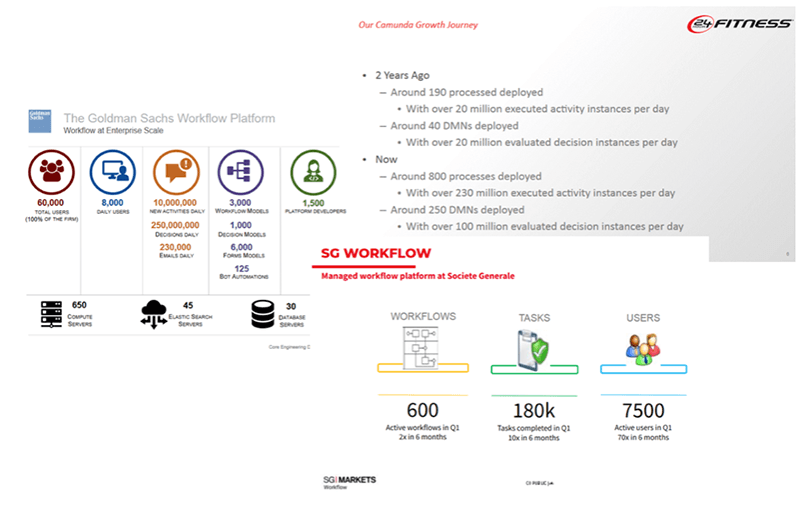
How can you move beyond your first project and automate hundreds of processes successfully using an agile step-by-step approach? For the last 10 years we’ve been helping businesses to automate workflow processes, migrating from monolithic systems into agile, scalable ways of working. And we’ve discovered that you don’t have to start with a big bang approach – in fact, starting small is the fastest and most effective route to digital transformation. In this series, we’ll be taking a closer look at Camunda adoption, choosing the right architecture for your use case and assembling teams that are best placed to drive transformational technologies. I wanted to write this blog because we often get questions like: How can we scale Camunda adoption…
14 juil. 2020
Camunda Optimize 3.1 Released
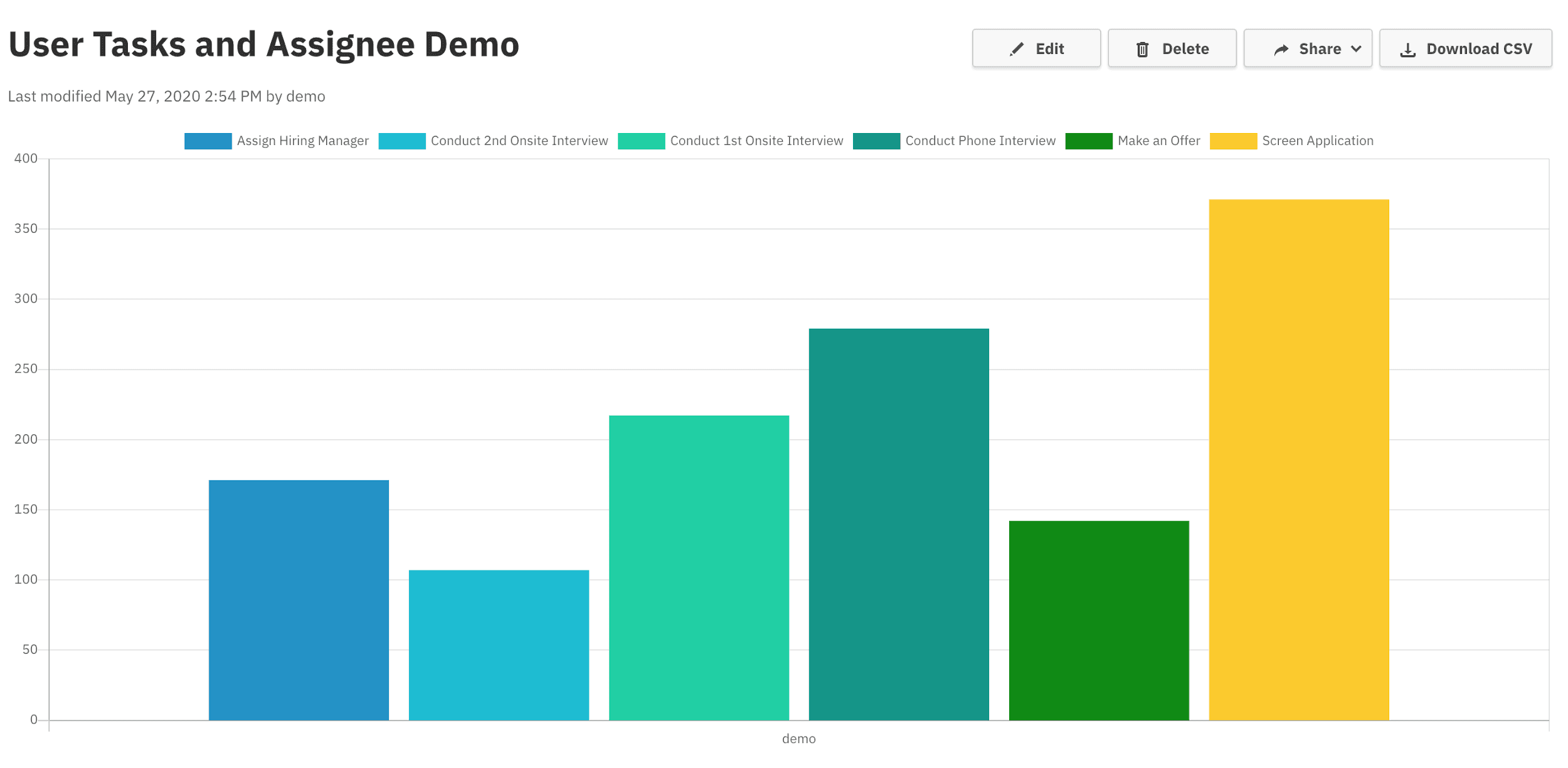
We’re excited to announce the release of Camunda Optimize 3.1. Camunda Optimize provides business activity monitoring for workflows, supporting continuous process improvement by providing transparency into your automated workflows and decisions. Business-friendly reports, dashboards, and alerts make it possible to identify process bottlenecks and improve end-to-end processes. If you’d like to get started with Optimize 3.1 right away, you can download the release here with your Camunda Enterprise Platform customer credentials. You can also use Docker to run Camunda Optimize. And if you’re not yet a Camunda customer, you can sign up here for a free 30-day trial of the Camunda Enterprise Platform, which includes Camunda Optimize. In the rest of this post, we’ll highlight some of the new capabilities introduced in Optimize 3.1. Faster Process Insights…
14 juil. 2020
Cawemo Enterprise (On-Premises) 1.3 Released
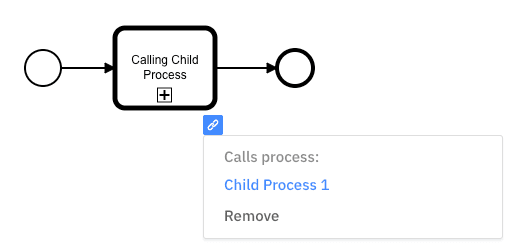
We’re happy to announce the 1.3 release of Cawemo Enterprise On-Premises. Cawemo is the BPMN process specification platform of the Camunda stack. Its main purpose is to enable all stakeholders to model and collaborate on business process diagrams. The main improvements in this release are: Call Activity Links are persisted in the XML as calledElement and better manageable through the UI. Related diagrams can be restored as milestones into the current diagram. Single milestones can be deleted from synced modeler diagrams and deployed engine processes. As a Camunda Enterprise customer, you can install or upgrade to version 1.3 following our on-premises installation instructions. On cawemo.com, these improvements are already available to you if you are on the enterprise plan. Link a Call Activity When…