Category

Product

All Camunda blog posts tagged with Product.

Aug 11, 2020

Camunda Optimize 3.2.0-alpha1 Released

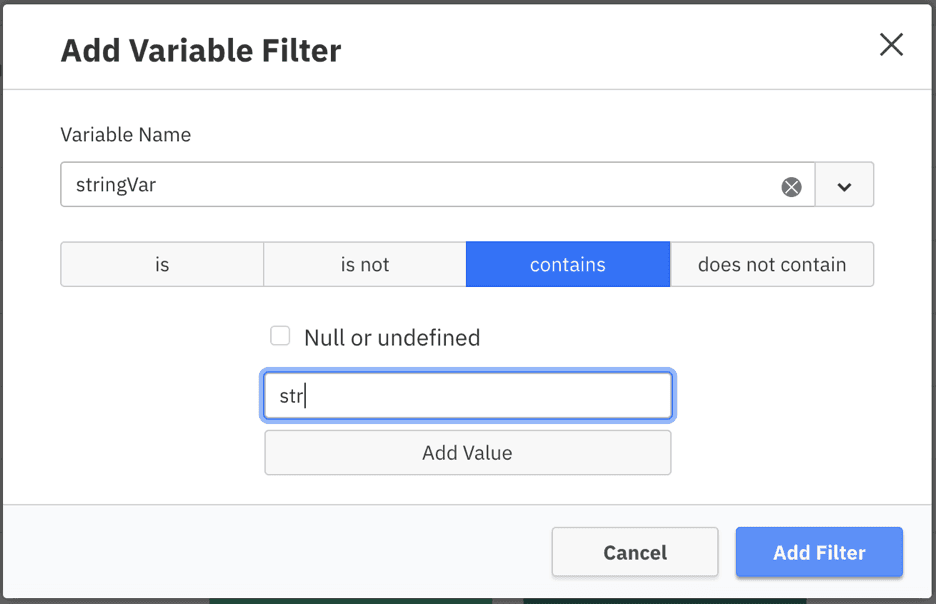
We’re excited to announce the release of Camunda Optimize 3.2.0-alpha1. In this first alpha release of Optimize 3.2.0, you can get an early look at some improvements and features in advance of the stable Optimize 3.2.0. This release adds following new capabilities: The complete release notes are available in Jira. You can <a href="#how-to-get-it">try out a free trial of Camunda Optimize</a>. New Variable Filter for Process and Decision Reports With this release we are introducing a new type of Variable filter for Process and Decision Reports. Within the Variable Filter modal you can now choose to use ‘contains’ or ‘does not contain’ when filtering process or decision instances based on variables: Alerts to multiple recipients For situations where you would…

By Felix Mueller

Aug 11, 2020

All New Frontend Plugin System for Cockpit starting with Camunda BPM 7.14

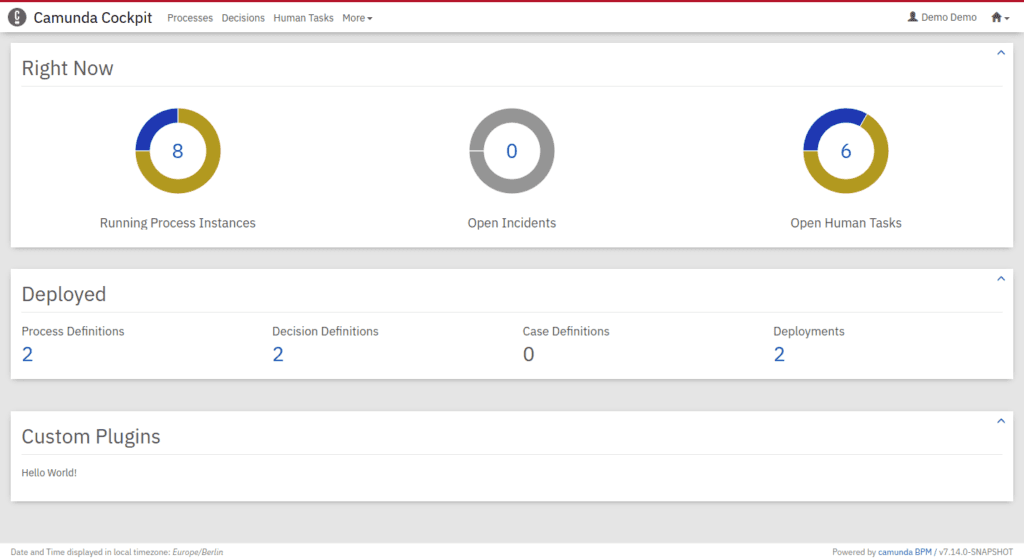
We are happy to announce, that Camunda BPM 7.14 (scheduled for Tuesday, October 13th, 2020) includes an all new frontend plugin system for Cockpit. It replaces the current AngularJS 1.8 based plugin system and enables you to extend Cockpit with domain-specific information written in the web-technologies of your choice. What are Plugins Webapp plugins are user extensions that provide custom functionality to Cockpit, Tasklist, and Admin, which Camunda does not provide out of the box. It allows you to embed domain-specific information into Camunda tooling without switching applications. The new plugin system allows you to use the Javascript framework you are most familiar with, whether it be React, Angular, or just plain Javascript. Cockpit is the first webapp to receive…

By Martin Stamm

Aug 5, 2020

Camunda BPM Runtime 7.14.0-alpha2 Released

We are happy to share the second alpha release of Camunda BPM Runtime 7.14 with you! This release features the following improvements: All New Frontend Plugin System for Cockpit Support for Spring Boot 2.3 Additional Supported Environments 14 Bug Fixes You can Download Camunda for free or Run it with Docker. For a complete list of all improvements, take a look at the release notes. Please also see the list of known issues. If you want to dig in deeper, you can find the source code on GitHub. All New Frontend Plugin System for Cockpit We are happy to announce an all new frontend plugin system for Cockpit. The new plugin system allows you to use the Javascript framework you are most familiar with, whether it be…

By Camunda Platform Team

Aug 5, 2020

Camunda’s Evolution: An Open, Distributed Platform

We have recently released the first iteration of the OpenAPI documentation, which is a big step towards making Camunda a more technology independent platform. The journey up until now is very much worth discussing. Camunda started off as a lovely, lightweight java project, which was intended to be used by Java developers to embed in their projects so that they could orchestrate their processes. As far as this mission statement goes – it was, of course, a great success. The features we created focused on the Java ecosystems and the needs of Java developers, which is obvious considering that our community was almost exclusively made-up of Java folk. There came a time, one which I assume happens often for open…

By Niall Deehan

How we automatically keep our Documentation Screenshots up to date

When you open the Camunda User Guide, you’ll see that there are many screenshots explaining the different functions and options the product offers. We hope that you, as a user, find those screenshots helpful. But for us as developers, creating and keeping those screenshots up to date has always been a pain. https://unsplash.com/photos/dDppsuM_UpE At the time of writing, the user guide for Camunda Optimize contained 94 screenshots. And with every release we add more functionality, which means the number of screenshots continuously grows. When we change the look of buttons or add a new section to the header, we need to update every screenshot that has a button or header in it. In practice, this meant we were manually recreating every…

By Sebastian Stamm

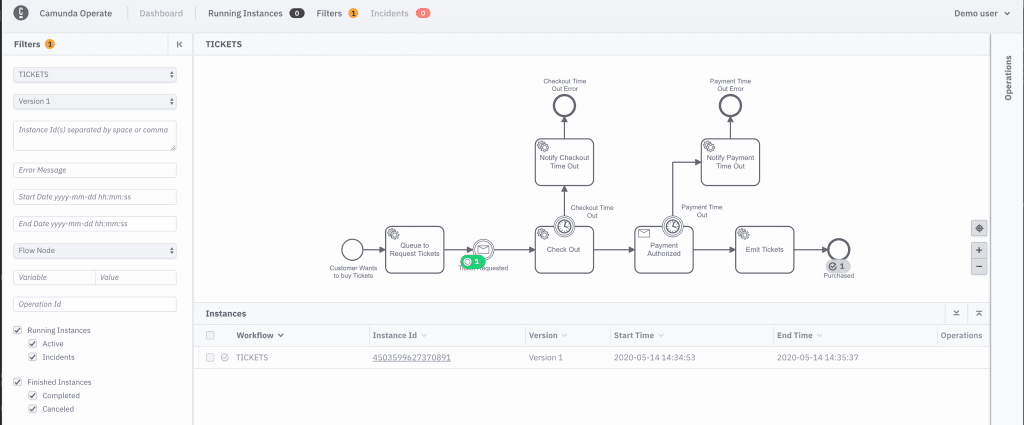
Announcing Zeebe 0.24.1 & Operate 0.24.2

A new release for Zeebe and Operate is available now, version 0.24.2. You can grab the releases via the usual channels: Docker Hub GitHub Maven Central As usual, if you’d like to get started immediately, you can find information about it directly on the Zeebe & Operate documentation website. Both Zeebe 0.24.1 and Operate 0.24.2 are fully backwards compatible with previous versions. For Camunda Cloud users, 0.24.1 is already the latest production version, meaning by the time you read this post, your existing clusters should have been upgraded. Here are some highlights: Zeebe Many, many bug fixes Standalone gateway liveness probes Docker distribution can now run as non-root user Job worker metrics in the Go client FEEL expression support for…

By Camunda Cloud Team

Git push to deploy to Camunda Cloud

Using the Zeebe Action for GitHub, you can automate your GitHub repo to deploy BPMN models to Camunda Cloud when you push to a specific branch. In this quick tutorial, I show you how to configure your GitHub repo to deploy all BPMN models in the bpmn directory of your repo on a push to master. If you don’t have a Camunda Cloud account yet, you can join the public beta to get one. Create a client in Camunda Cloud Go into your Zeebe cluster in the Camunda Cloud console, and create a new client. You might want to name it “GitHub-Automation” so you know what it is for. Copy the “Connection Info” block by clicking the copy icon in the lower right-hand…

By Josh Wulf

Jul 14, 2020

Camunda Optimize 3.1 Released

We’re excited to announce the release of Camunda Optimize 3.1. Camunda Optimize provides business activity monitoring for workflows, supporting continuous process improvement by providing transparency into your automated workflows and decisions. Business-friendly reports, dashboards, and alerts make it possible to identify process bottlenecks and improve end-to-end processes. If you’d like to get started with Optimize 3.1 right away, you can download the release here with your Camunda Enterprise Platform customer credentials. You can also use Docker to run Camunda Optimize. And if you’re not yet a Camunda customer, you can sign up here for a free 30-day trial of the Camunda Enterprise Platform, which includes Camunda Optimize. In the rest of this post, we’ll highlight some of the new capabilities introduced in Optimize 3.1. Faster Process Insights…

By Felix Mueller

Jul 14, 2020

Cawemo Enterprise (On-Premises) 1.3 Released

We’re happy to announce the 1.3 release of Cawemo Enterprise On-Premises. Cawemo is the BPMN process specification platform of the Camunda stack. Its main purpose is to enable all stakeholders to model and collaborate on business process diagrams. The main improvements in this release are: Call Activity Links are persisted in the XML as calledElement and better manageable through the UI. Related diagrams can be restored as milestones into the current diagram. Single milestones can be deleted from synced modeler diagrams and deployed engine processes. As a Camunda Enterprise customer, you can install or upgrade to version 1.3 following our on-premises installation instructions. On cawemo.com, these improvements are already available to you if you are on the enterprise plan. Link a Call Activity When…

By Andreas Remdt

Try All Features of Camunda