Orchestrate Human Workflows
Transform complex business processes into seamless customer and employee experiences.
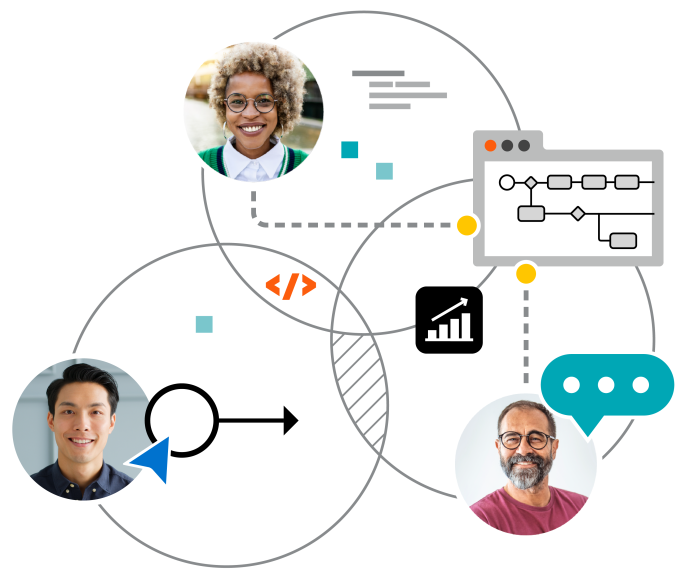
Human workflows deserve people-centric automation
Customers want services that are simple, fast, and accessible – anywhere, anytime – whether the experience is fully automated or involves interacting with your employees. When manual processes are slow, error-prone, or opaque, both customer satisfaction and employee experience suffer. Addressing inefficient workflows helps employees deliver the exceptional experiences customers demand.
Orchestration improves human workflows from start to finish
Transform processes across people, systems, and devices
Camunda supports the full range of human task patterns:
- Apply common work assignment patterns such as maker-checker, sticky user, content-based routing, and skill-based routing.
- Implement process flexibility by using BPMN to document processes, group tasks in stages, and manage task cancellations and exceptions.
- Enforce complex process controls such as escalations and multi-stage approvals.
- Automatically take action when the state of a task changes or when an SLA or another predefined threshold is reached.
- Send notifications by email, phone, SMS, or another channel when tasks reach a milestone or when tasks are completed.
“The integration with almost any language, product, and even human tasks, is valuable. It's very seamless to integrate into existing systems. It doesn't require you to rewrite a lot of your existing system.”
Staff Software Engineer
Major Retailer
Incorporating human workflows in process automation
Long-running business processes often require both manual and automated work to create a unified, end-to-end workflow. The secret to streamlining processes and building better customer experiences starts with knowing how to orchestrate a combination of human- and machine-driven processes.
Quickly build forms for human workflows
Camunda's drag-and-drop Form Builder makes it easy to design, test, and deploy forms for tasks that must be done by people. Select from a wide variety of form controls, customize the layout and add field validation, and attach the form to a BPMN process model in a few clicks. Or, take advantage of Camunda's AI Assistant to start building a form with natural language input.
Built-in user interface speeds up development
Tasklist is a ready-to-use interface for employees who need to complete tasks as part of business processes. It's perfect for rapid prototyping as you design and test process orchestration solutions.
Create and connect your custom applications
Use your own UI to maintain a consistent look and feel. The open source form-js library and the Tasklist API make it easy to create a custom interface that matches end users' expectations.
Hear how our customers succeed with Camunda

Jyske Bank
Learn how Jyske Bank increased customer satisfaction using process orchestration while adhering to strict international regulations.
Read case study

Babylon Health
See how Babylon delivers tailored patient treatments, ensuring clinical safety across a complex human workflow management ecosystem.
Read case study

City of Lugano
Discover why citizens trust their city administration more after the City of Lugano transformed time-sensitive processes with a human-centric approach.
Read case study
Atlassian — 93% reduction in ticket turnaround times
Watch this short presentation to learn how Atlassian reduced ticket turnaround times by 93% and achieved a 30x return on investment using Camunda.
Watch presentation
Helpful resources you can count on
“Some customers thought they were interacting with a human due to the speed of the responses. In fact, even some Atlassian employees think our virtual customer assistant is a real person handling all of these tickets!”
Brajesh Bharti
Senior Engineer · Atlassian
Frequently asked questions
What is human workflow orchestration?
Human workflow orchestration is the end-to-end coordination of work that involves people, systems, and devices inside a single governed process. It brings user tasks, approvals, and handoffs into the same model as automated steps so teams can design, execute, and improve the full journey. In Camunda, you model human tasks in BPMN, build forms visually, and execute them through Camunda Tasklist or your own UI using APIs. Operations teams then monitor task SLAs, state changes, and outcomes, using heatmaps and branch analysis to spot bottlenecks and optimize the experience for customers and employees. This people-centric approach ensures that manual steps are first-class citizens in digital processes, with guardrails, auditability, and continuous improvement built in.
Why do human workflows need orchestration?
Human work is often the source of delays and inconsistency, especially when tasks jump between teams, tools, and channels. Orchestration provides a single source of truth that defines who does what, when, and with which inputs or approvals. With Camunda, you can enforce SLAs and escalate automatically when thresholds are reached, trigger notifications when milestones occur, and guide employees with forms that validate inputs and reflect real process logic. A shared process model also aligns business and IT, making it easier to adapt when policies or volumes change. The result is faster cycle time, higher quality, and better experiences, whether a step is manual or automated. Customer stories on the page highlight material impact, including dramatic turnaround time reductions and ROI from bringing people-centric tasks under orchestration.
What capabilities are essential for managing human workflows?
Effective human workflow management requires capabilities across design, automation, and improvement. On the design side, teams need BPMN modeling for manual and automated tasks, plus a form builder to quickly create, test, and attach user task forms. For execution, a ready-to-use Tasklist accelerates delivery, while open APIs and the open source form-js library let you keep a custom UI and brand. At runtime, you should apply common assignment patterns like maker-checker, sticky user, content-based routing, and skill-based routing; enforce controls such as escalations and multi-stage approvals; and act on state changes or SLA thresholds. For optimization, use process heatmaps, branch analysis, and customizable dashboards to identify and fix bottlenecks. These capabilities ensure manual work is predictable, auditable, and continuously improved.
What are some common use cases for human workflows?
Common use cases span any process where people must review, approve, or resolve exceptions. Examples include customer service case handling, employee onboarding and access approvals, claims and dispute resolution, KYC reviews, pricing or discount approvals, and operations work such as content review or field service coordination. These scenarios benefit from assignment patterns, staged tasks, and time-bound SLAs, plus notifications across email, phone, or SMS.
Is it possible to mix human tasks with fully automated steps?
Yes. Human workflow orchestration is designed to combine manual and automated activities in one model. In Camunda, user tasks sit alongside AI agents, service tasks, RPA or API calls, and event-driven steps, all governed by the same BPMN process. You can group tasks in stages, cancel or reassign them when conditions change, and automatically take action based on task state or SLA thresholds. Notifications keep stakeholders informed across channels, while multi-stage approvals and escalations ensure control where risk is higher. This hybrid pattern lets you start with manual steps for confidence and gradually automate more over time as policies, data quality, and user experience mature, without ever losing visibility or auditability.
How can we use Camunda to get started with human workflow orchestration?
Pick a real process with visible handoffs and delays — for example, approvals, case handling, or request fulfillment. Model the process in BPMN and use the drag-and-drop Form Builder to create user task forms. Run the process with Tasklist for rapid prototyping, then integrate your own UI through the Tasklist API or form-js when you're ready. Apply assignment patterns, SLAs, and escalations so work lands with the right person and keeps moving. As you go live, use heatmaps, branch analysis, and dashboards to identify bottlenecks and optimize throughput. Many teams start with Tasklist to accelerate time to value, then evolve to custom applications while keeping Camunda as the orchestration backbone.