



We’re excited to share that the latest alpha/official software release of Camunda is now live and available for download. For our SaaS customers who are up to date, you may have already noticed some of these features as we make them available for you automatically.
Below is a summary of everything new in Camunda for this August 2025 with the 8.8-alpha7 release.
Table of contents
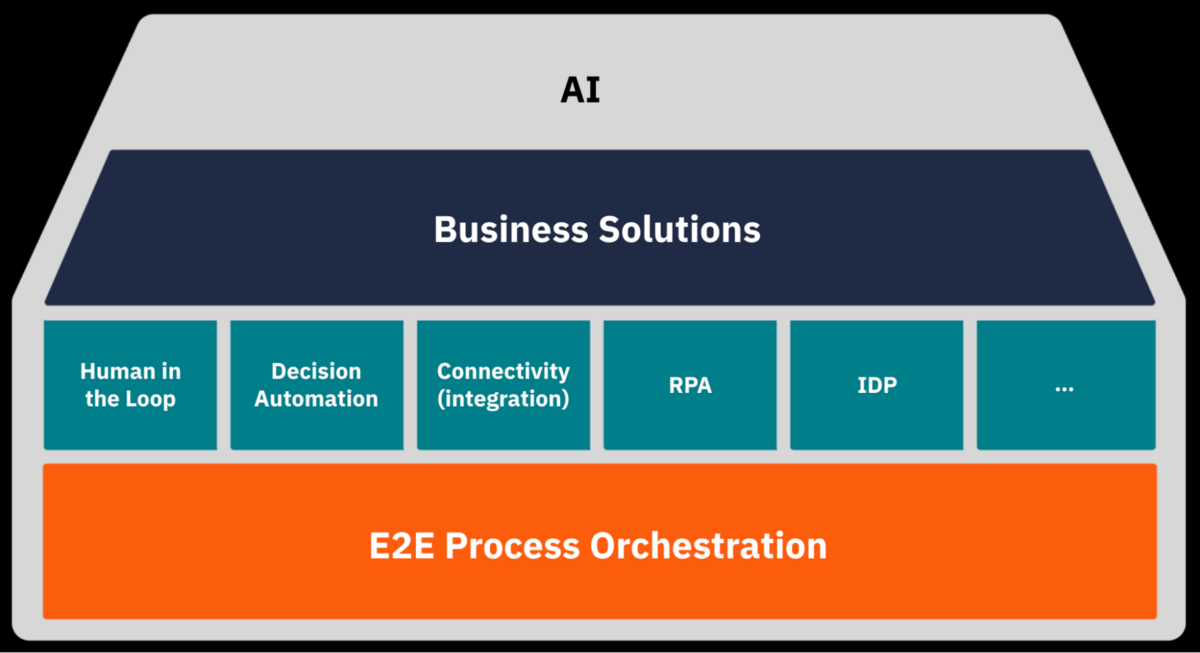
This blog is organized using the following product house, with E2E Process Orchestration at the foundation and our product components represented by the building bricks. This organization allows us to organize the components to highlight how we believe Camunda builds the best infrastructure for your processes, with a strong foundation of orchestration and AI thoughtfully infused throughout.
E2E Process Orchestration
This section will update you on the components that make up Camunda’s foundation, including the underlying engine, platform operations, security, and API.
Orchestration Cluster
The improvements and new features for the orchestration cluster can be found in this section.
User task listeners
With this release, user task listener jobs are enhanced in two key ways:
- Task metadata is now directly embedded in the task listener jobs’ properties instead of being exposed as custom headers. This includes attributes such as
assignee,dueDate, oruserTaskKey. - User tasks can now be filtered using partial user task states to understand the current lifecycle state of the user task fully.
These improvements simplify job worker development, reduce errors, and enable better observability of the complete user task lifecycle.
Identity
In this release, our engineering team focused on bug fixes have focused on bug fixes. This included our Orchestration Cluster Identity and Management Identity components.
Operate
Our Operate engineering team worked on bug fixes for this release.
Tasklist
For this release, our Tasklist engineering team worked on bug fixes.
Optimize
Our Optimize engineering term worked on bug fixes for this release.
Task automation components
In this section, you can find information related to the components that allow you to build and automate your processes including our modelers and connectors.
Web Modeler
The Web Modeler is investing in a building block-based approach to development that allows business users to assemble pre-configured call activities, service tasks, and other tasks into working processes. This alpha broadens support for element templates, enables integration into a Git repository, and improves debugging with the following features:
Create new element template
From the Create menu, developers can now create blank element templates in addition to connector templates. Element templates allow you to extend the modeler with domain-specific diagram elements, such as business rule tasks, call activities, and user tasks. New properties for these activity types are supported in the schema, such as linking information and binding types.

Unlock element template fields
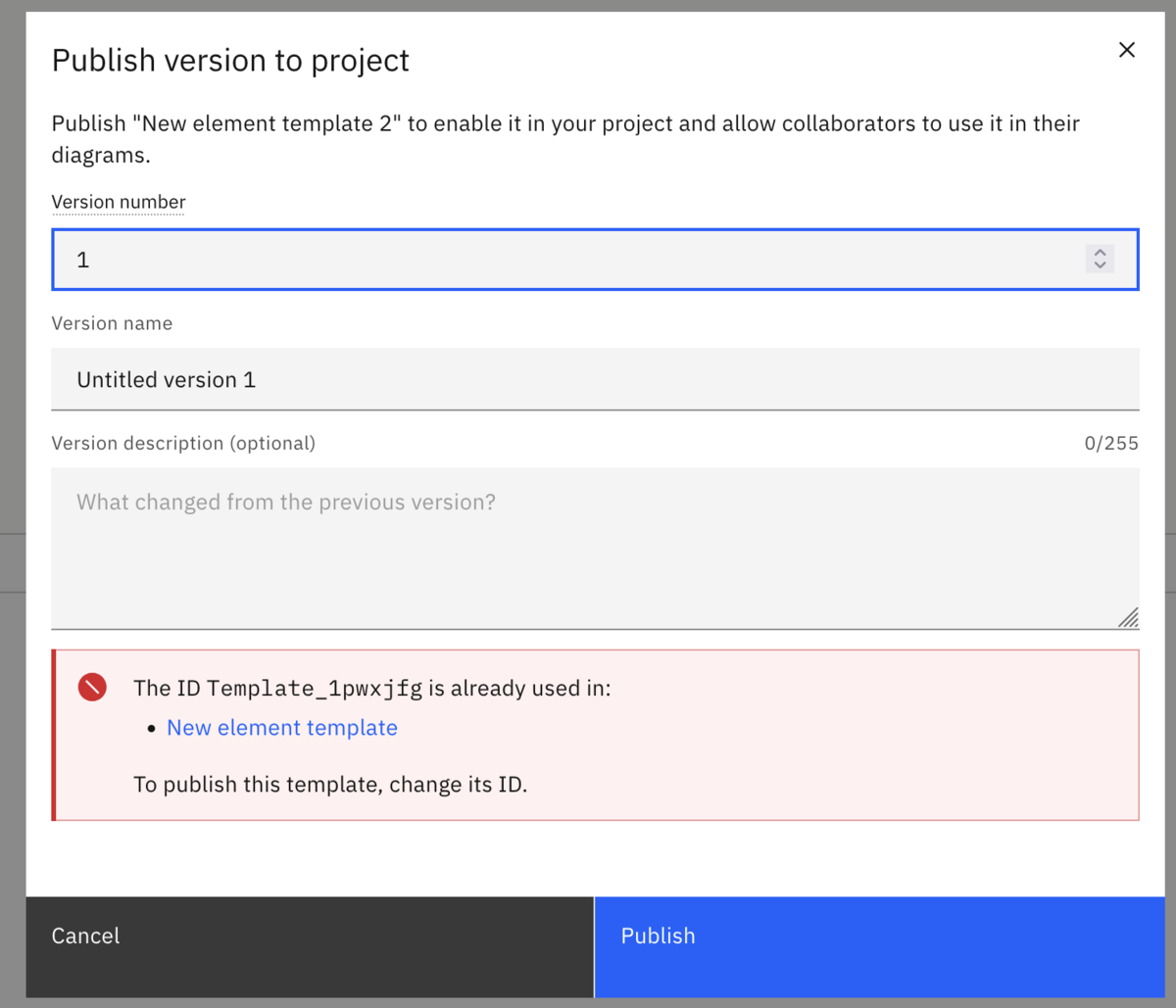
Element template management is now more flexible for developers and DevOps teams. You can assign custom semantic IDs and use an intuitive versioning scheme, ensuring that templates are portable and retain stable references across different environments. Template names and file names can be managed independently, and you can quickly import templates using copy and paste, git sync, or CI/CD pipeline. Safeguards now notify you of ID or version conflicts to prevent accidental overwrites when publishing templates.
Show problems panel in template editor
The element template editor now shows errors and warnings, making it easier to create valid element templates that comply with the schema.

In addition, process applications can be synced to GitHub Enterprise instances using an alternative API base URL.
We hope you enjoy everything in the latest Web Modeler release!
Desktop Modeler
We have many new improvements with this alpha release including the following:
Improvements in element templates
You can now configure a script task as a FEEL expression, define the called decision of a business rule task, and configure a form linked to a user task.
Camunda FEEL editor intelligence
Our FEEL editor now supports escaping variable names with backticks. We’ve improved support for the Camunda dialect, ensuring that all built-in functions are now fully recognized.
Better linting for IO mapping
The Modeler now helps ensure you have the right IO mappings for the Camunda version you’re using.
Custom validation messages in Forms
You can now add custom error messages to form inputs validated with regex patterns.
Check out the full release notes for the latest Desktop Modeler 5.38.0 release right here.
Connectors
We have made some improvements and now offer several new connectors with this alpha release.
Fetch only the latest process definitions
By fetching only the latest process definitions versions from Camunda Operate during process deployment and inbound connector activation, you can now optimize the connectors runtime by reducing CPU consumption and improving the overall user experience.
This enhancement is essential for scaling with customer environments that utilize CI/CD pipelines, which frequently generate new process definition versions.
New Azure Blob Storage connector
Camunda now provides a general-purpose Azure Blob Storage connector that allows customers to easily store and retrieve documents within their Camunda process flows. This connector empowers users to leverage Azure Blob Storage for document management directly within their workflows, improving efficiency and integrating smoothly with existing Camunda processes.
New Google Cloud Storage connector
With our new general-purpose Google Cloud Storage connector, customers can easily store and retrieve documents within their Camunda process flows. This connector will empower users to leverage Google Cloud Storage for document management directly within their workflows, improving efficiency and integrating smoothly with existing Camunda processes.
New CSV connector
Camunda’s SaaS users currently lack an out-of-the-box CSV integration, limiting their ability to automate processes that depend on this universal format. As a result, teams are either building custom workarounds or are unable to automate these processes at all—slowing down adoption and increasing operational overhead.
Our new CSV connector allows customers to read data from CSV files to filter, find metadata and more within your process.
The CSV connector for Camunda SaaS will:
- Accelerate Time-to-Value: Enable quicker development of processes that integrate with CSV data sources and targets
- Increase Accessibility: Empower less technical users to work with CSV data without coding
- Reduce Technical Debt: Eliminate workarounds and maintenance of custom CSV solutions
- Enhance Platform Parity: Provide consistent capabilities across all Camunda deployment options
- Extend Integration Capabilities: Broaden the range of systems Camunda can connect with
We hope you enjoy, and you can learn about everything in the latest Connectors 8.8.0-alpha7 release right here.
Intelligent document processing (IDP)
With our new IDP structured Extraction, users can upload documents to automatically detect and extract fields and tables using OCR technology. The system creates reusable extraction templates from a document.
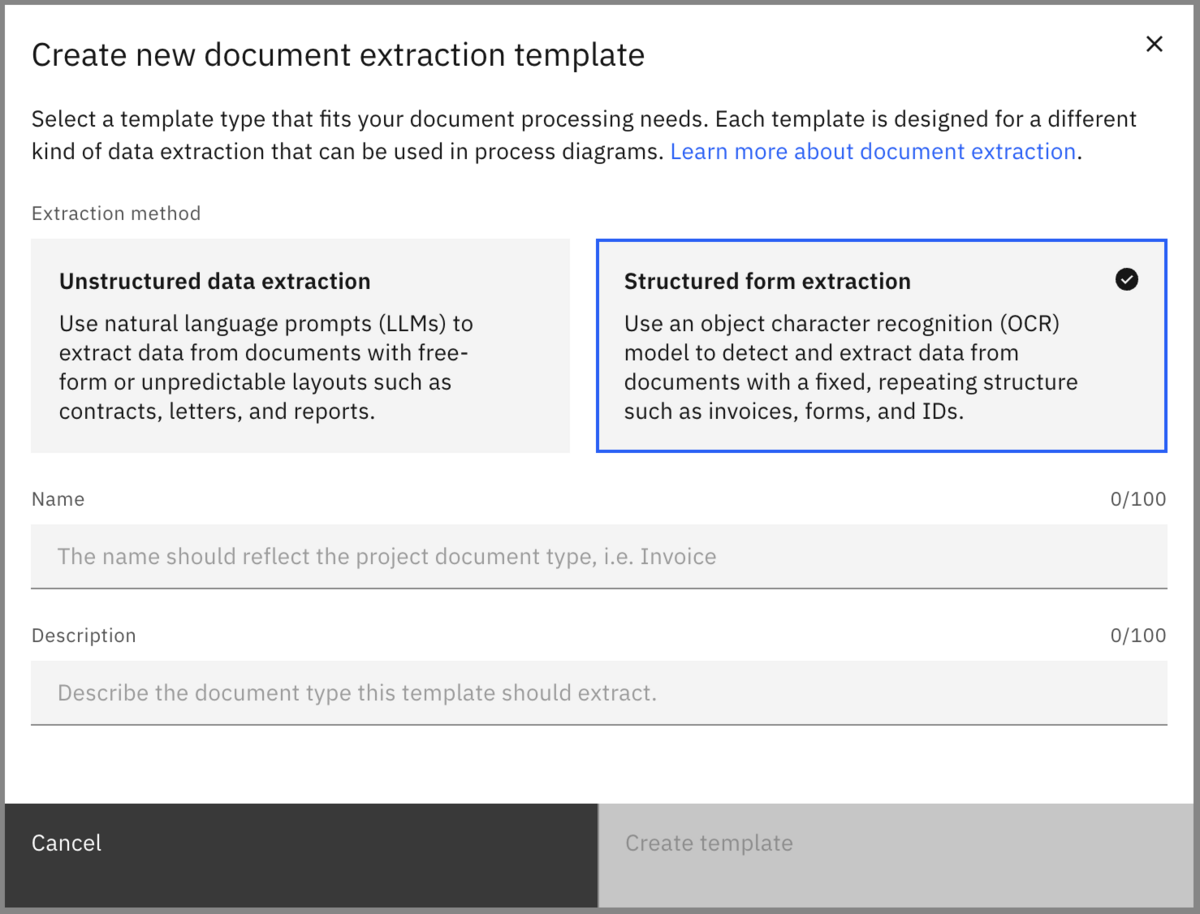
Some highlights of IDP in this release include:
- You can validate extraction accuracy by uploading multiple test documents and comparing results across different documents.
- You can view detailed extraction metrics including confidence scores, field/table extraction rates, and success indicators.
- We now offer template publishing and versioning which allows you to publish validated extraction templates to your organization with version control. Templates can be shared organization-wide or kept private, enabling teams to leverage pre-built extraction patterns.
- You can view the extraction status with detailed confidence scoring (0-100%).
- We offer field and table management with active and inactive toggling and custom renaming.
- You can test validation across multiple documents.
- There are now visual indicators for extraction success and missing fields.
- There is now document replacement functionality for updating templates.
We hope you enjoy the latest IDP release.
Artificial Intelligence
With a continued focus on AI, this section provides information about the continued support of AI in our product components.
Agentic Orchestration
Camunda continues to make a significant investment in agentic orchestration with this alpha release including:
- We have added support for Azure OpenAI and Google VertexAI models to the AI Agent connector.
- With this release, the AI Agent connector supports customization in hybrid mode. This allows running the AI Agent connector on premises and customizing it as needed, for example by adding custom memory storage backends.
- With the MCP Client early access release, it is now possible to use tools provided Model Context Protocol (MCP) servers from the AI Agent connector.
Vector database
We have improved our vector database integration by updating the OpenSearch vector store to support non-AWS managed instances and adding support for OpenAI embedding models.
Data Migrator
With our Data Migrator 0.1.0-alpha5 release, the C7 to C8 Data Migrator brings a few quality of life improvements for our customers that are moving from Camunda 7 to Camunda 8:
- We renamed the artifact to `camunda-7-to-8-data-migrator-core`
- Job type configuration: We have added support for separate job types for validation and activation (job-type and validation-job-type properties)
- Externally started process instances: We have added graceful handling of externally started process instances (without legacyId variable)
- Variable interceptor in config data file: We have introduced ability to configure variable interceptors without Spring annotations via config data files (like application.yml)
- History Migration: We have added pagination support to history migration for better performance with large datasets
- History Migration: We have added retry option for skipped instances
While the Data Migrator is still in alpha, you can already check out the project and try it!
Visit https://github.com/camunda/camunda-7-to-8-data-migrator.
Camunda 7
For information about our Camunda 7 release, please see our forum.
Thank you
We hope you enjoy our latest minor release updates! For more details, be sure to review the latest release notes as well. If you have any feedback or thoughts, please feel free to contact us or let us know on our forum.
If you don’t have an account, you can try out the latest version today with a free trial.
Start the discussion at forum.camunda.io